
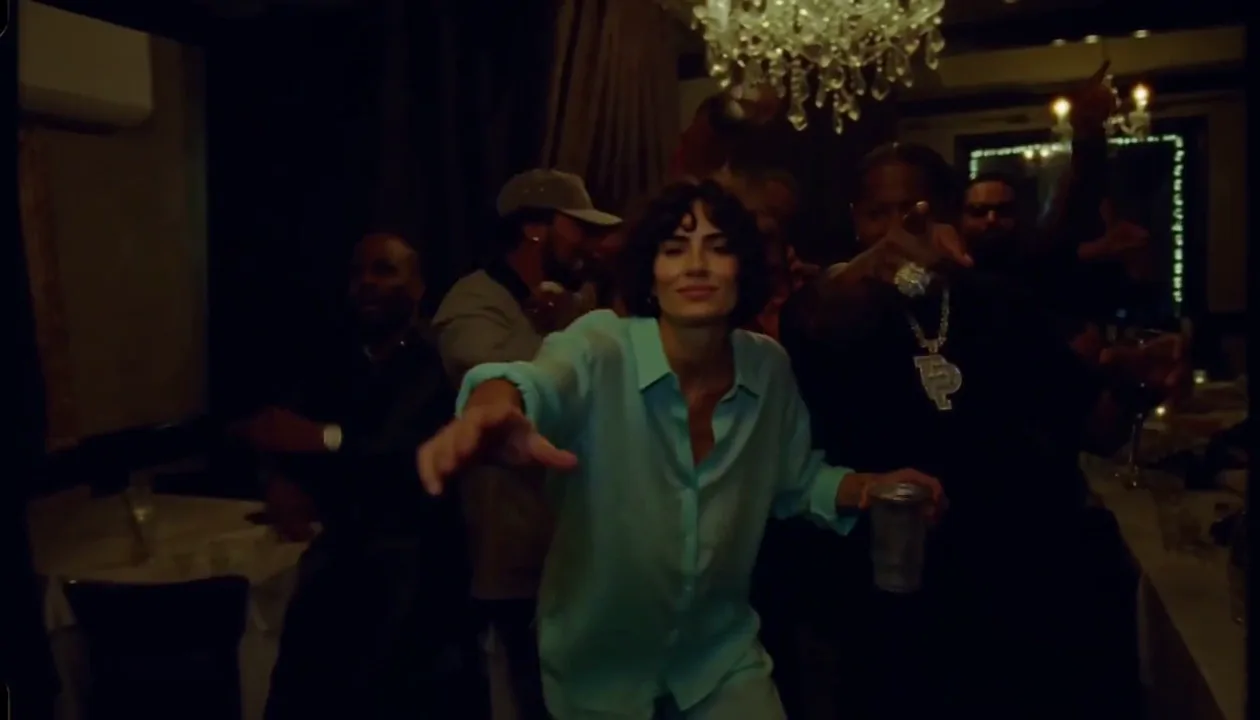
 Watch example 5.18 seconds
Teal party scene
A woman in teal reaches toward the camera while holding a metal cup, with a group gathered behind her.
See the full exampleYour photo. A different face in the party.
Explore the Burning Bridges party-scene trend: expressive gestures, a moving camera and a new lead character. See the examples, then prepare your own take.
Limited preview · Finish your soundtrack in the browser · Live purchases are not open
Watch example 5.18 secondsPhoto + video example
A teal outfit, a cup in hand and a reach toward the camera. Watch the full clip with sound.
Explore the exampleSee the scene in motion
Look beyond the first frame. Watch the hands, the cup and the way each person moves through the scene.
Watch example 5.18 secondsA woman in teal reaches toward the camera while holding a metal cup, with a group gathered behind her.
See the full example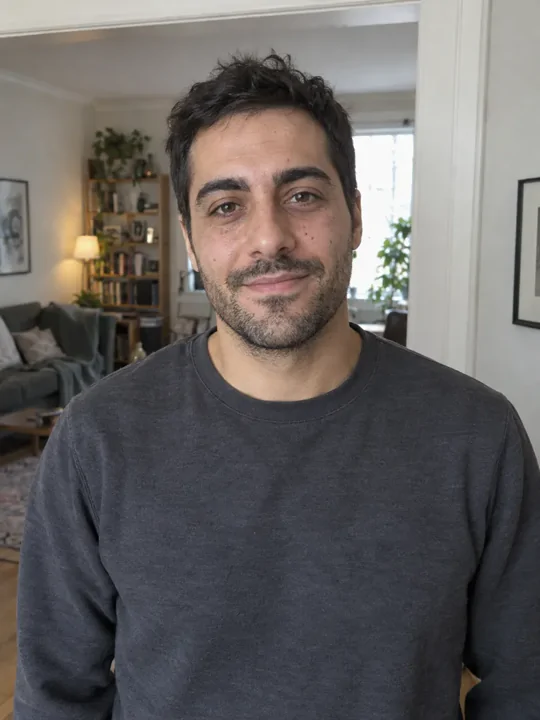
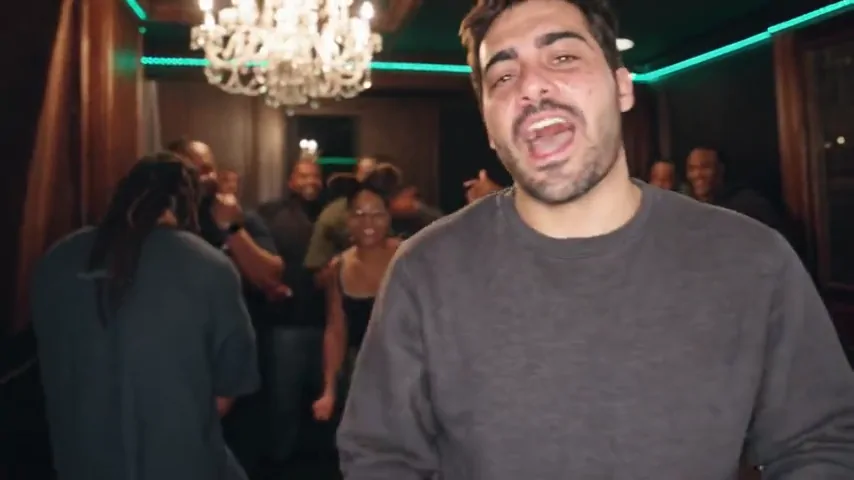 Watch example 15 seconds
A man in a grey shirt faces the camera in a chandelier-lit room, with a group behind him.
See the full exampleBehind the trend
Burning Bridges AI describes personalized video recreations inspired by the party scene in Drake’s “Burning Bridges.” A photo provides a new appearance; a reference performance guides the gestures, expressions and camera timing.
It is a video-recreation workflow, not an AI song generator or a download of the original music video. Changing a face, changing a whole character and recasting everyone are different tasks—and can produce very different results.
Find the original video and understand the trendThe creative workflow
A photo sets the appearance. A reference performance supplies the movement.
Choose one visible person, even lighting and an unobstructed face. Use a photo you have permission to use.
Pair the new appearance with a reference performance. Gestures, camera movement and timing come from the clip—not a longer prompt.
Watch the face, hands and cup through the whole clip. Match permitted audio to the same timeline before sharing.
Limited generation uses your photo and a reference performance for a video of up to 15 seconds. Finish the soundtrack in your browser. Identity, gestures and lip sync are not guaranteed; live purchases remain closed.
Read the step-by-step tutorialA better starting point
Use a sharp, evenly lit photo with one obvious subject. Keep the face visible and include a little of the upper body when clothing is part of the look. Avoid crowded images, extreme angles and heavy filters.
A clear image helps establish appearance. It does not supply a performance: for recognizable gestures and timing, the motion needs its own reference.
Photo checklist and template guideOne-time packs from $4.99
Choose credits for one take or a few different versions. Checkout availability is shown below.
$4.99
500 credits1 video
$9.99
1,000 credits2 videos
$19.99
2,000 credits4 videos
500 credits per video. Failed generations return your credits.
Payments open after testing. No live charges yet.
Before you create
Limited preview generation requires sign-in, available credits and remaining service budget. Finish audio on your device after generation. Results may vary. You can also watch the video examples and read the tutorial. Live purchases are not open.
Start with one clearly visible person and a face that is not covered by a hand, sunglasses or heavy shadow. JPG, PNG and WebP files up to 10 MB are accepted by the preview interface. See the photo preparation guide.
The planned product is a video of up to 15 seconds with sound; that workflow is still being validated. The examples have their own audio tracks. Adding music afterward does not repair mismatched mouth movements. Read how audio and timing work.
Exact matching is not guaranteed. Movement depends on the reference performance, photo and generation model. Hands near the camera, a cup crossing the body and other people moving in front of the subject can cause visible changes. Check the full clip, not just its first frame.
The examples and guide are free to view. There is no free generation offer. Planned one-time packs start at $4.99 for 500 credits, with no subscription. Compare the pricing and credit packs.
A job that finishes as failed or rejected returns its reserved credits. A credit return is not an automatic refund to your payment card, and technical completion is not a promise of perfect creative results. See the refund policy.
The application checks the actual generation prompt for NSFW intent. Input images and videos do not receive a separate AI content review. File checks and provider safety filters remain; a moderation service error is not a content violation. Use permitted material and review your video before sharing.